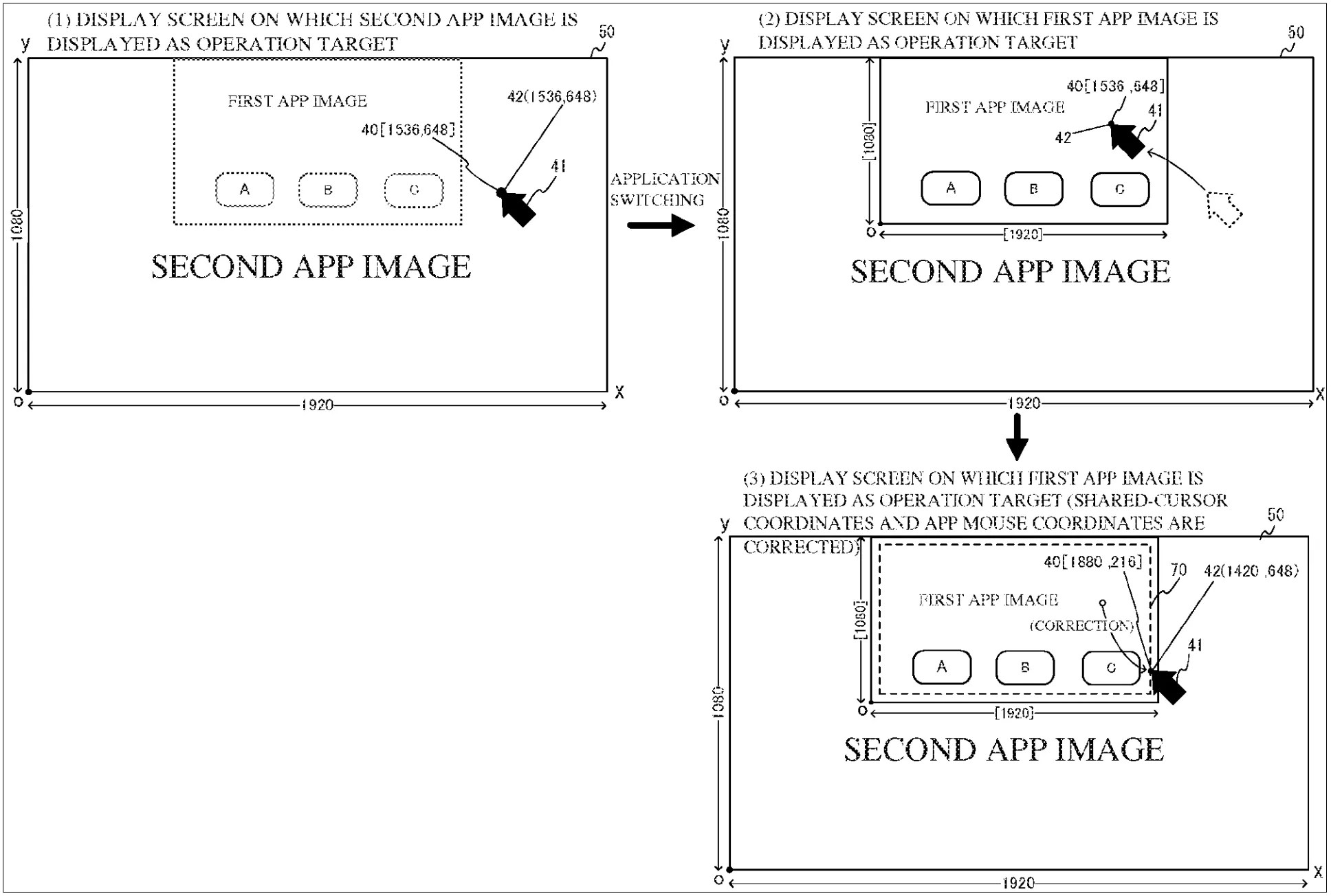
When mouse control is used during a GameChat session, the cursor is shared by the game (“first app” in img 1 below) and GameChat (“second app” in img 2). Since the game now isn’t running full-screen, the OS needs to convert the cursor’s XY coordinates for the game but not so for GameChat.
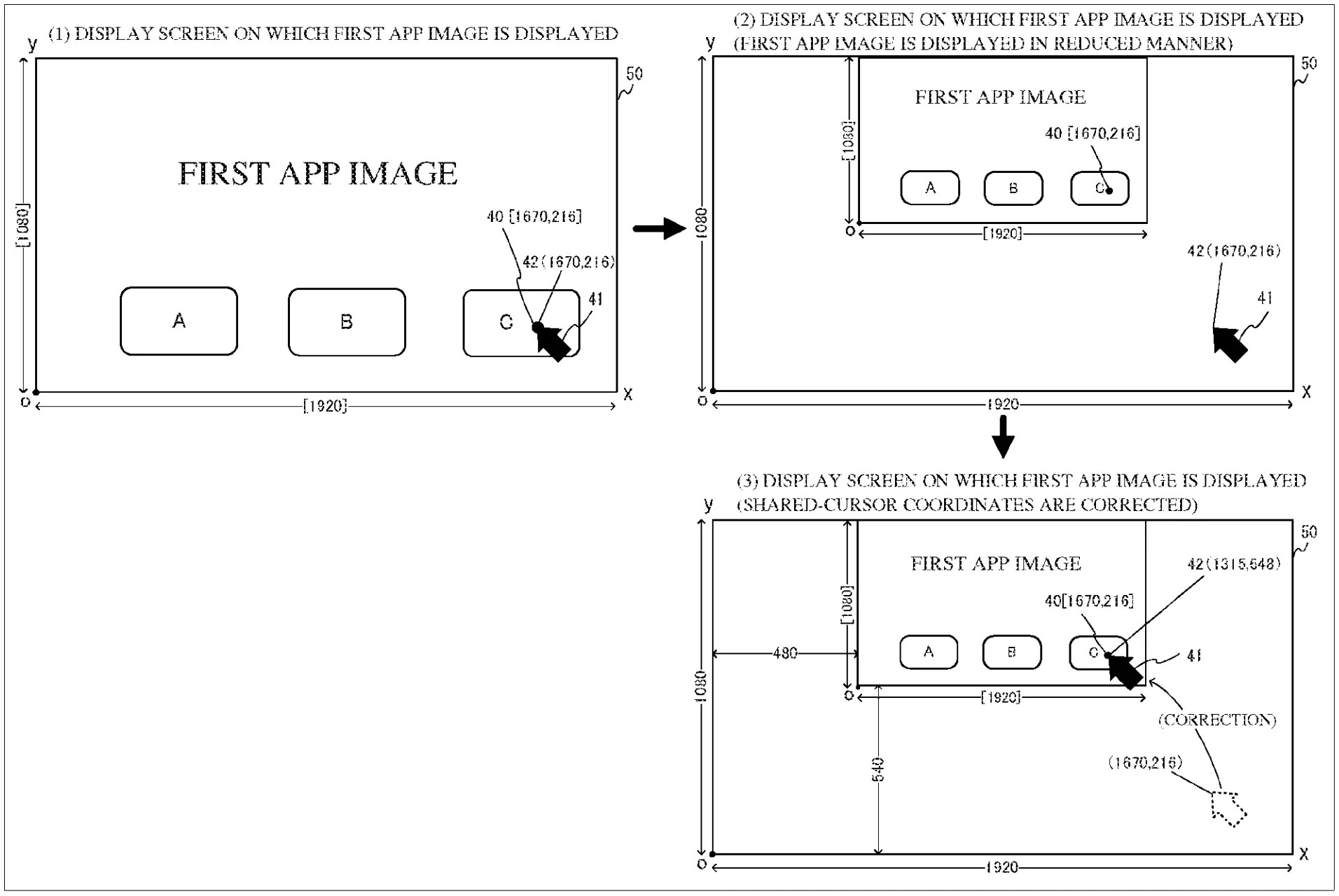
The system’s overlay (OL) app draws the shared cursor on screen at 60fps. At the moment the game image is shrunk, the OL app automatically moves the cursor to keep it inside the game at its relative position (img 1 above).
When the operation switches from GameChat to the game but the cursor is outside the game’s boundaries, the OL app automatically moves the cursor to the nearest edge of the game (img 2 above).
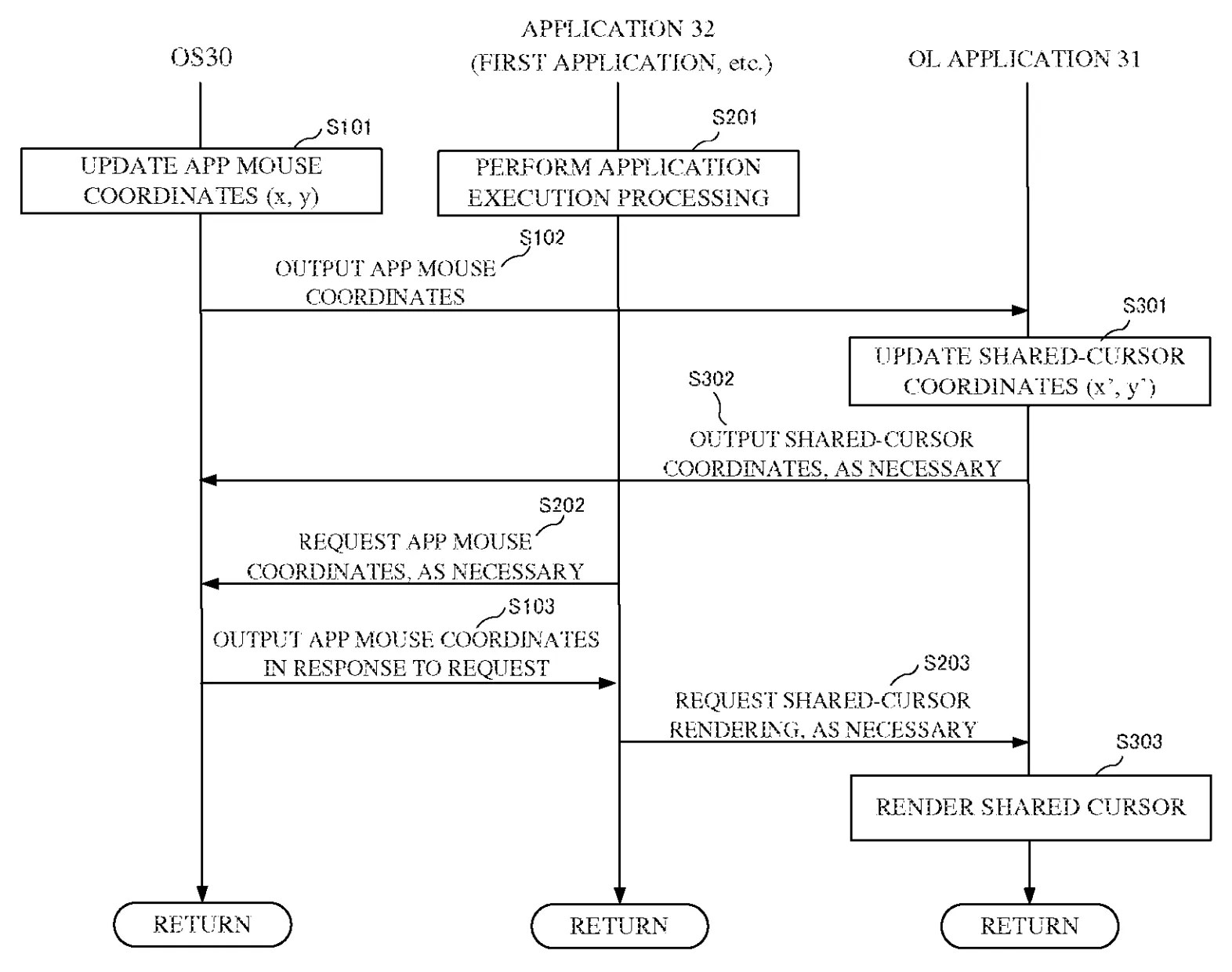
Here is the flowchart of the processing loop between the OS, game/GameChat app, and OL app:
Source: US 20260288294
Related: Mapping Joy-Con 2 to Mouse Input
[Originally posted on 2026-10-25 Pacific Time]
