Five GameShare patent applications were published on Xmas Day. There’s a lot of content therefore I’ll only share some highlights below. Please refer to the original docs for complete info: US20250387700, US20250387701, US20250387702, US20250387703, and US20250387704.
GameShare and GameChat integration
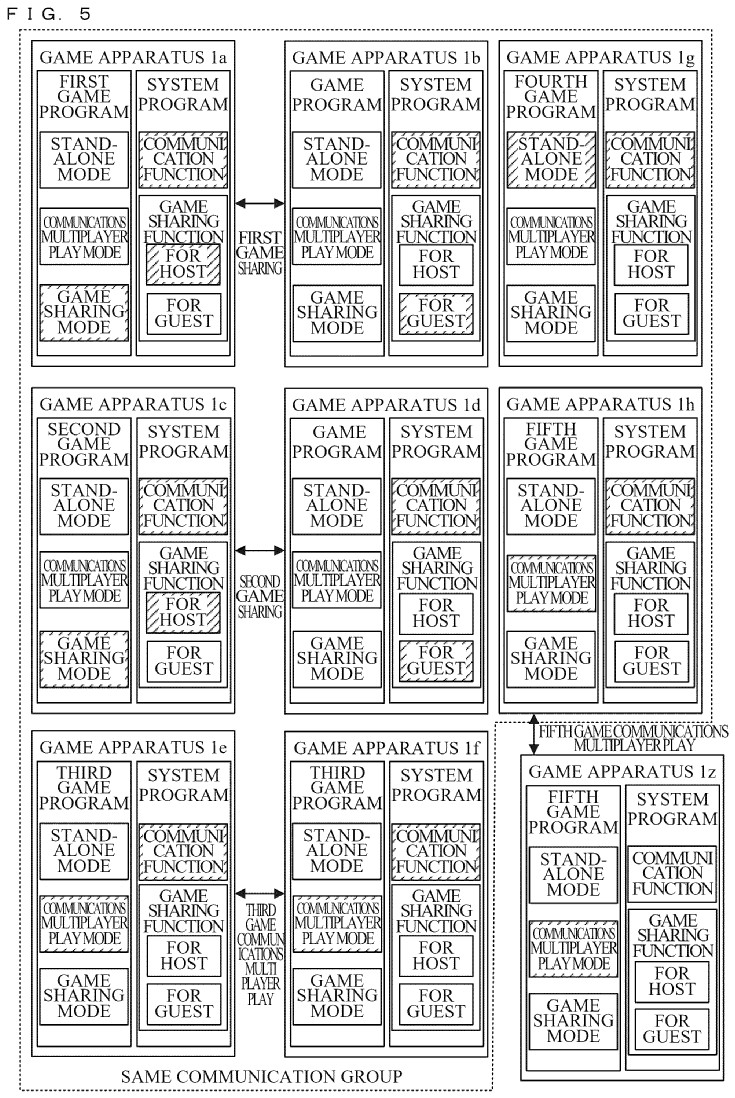
- Not all users in a GameShare session need to be in the same GameChat group (img 1 below)
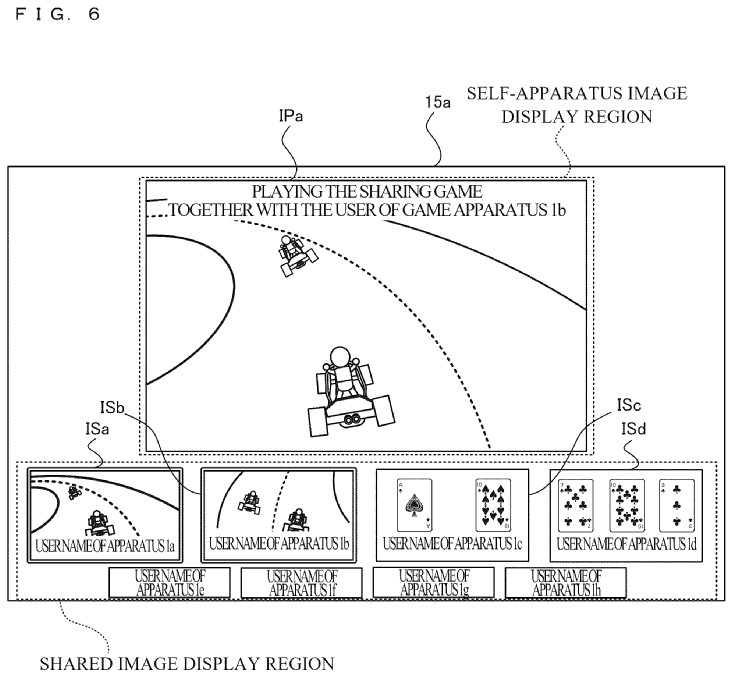
- Likewise, a GameChat group can have users belong to different GameShare sessions
- E.g., kart and poker sessions in one group (img 2)
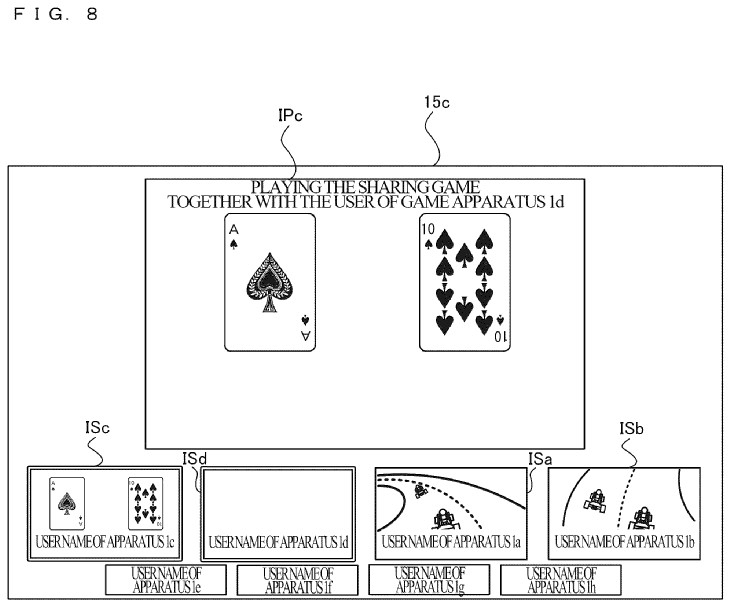
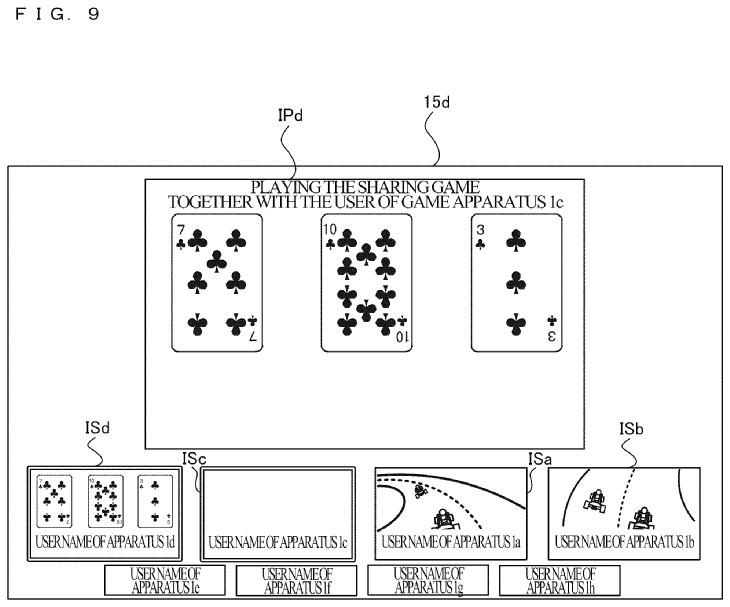
- Certain image streams are blocked for gameplay reasons
- E.g., kart players can see all poker streams, but poker players can’t see other poker streams (imgs 3-4)
How GameShare transmits image stream
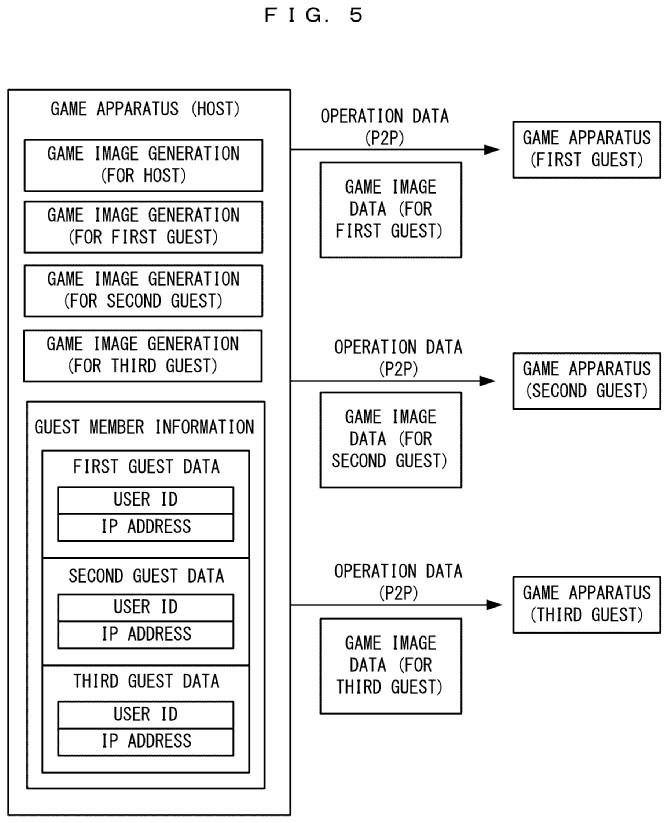
- For local GameShare, the host sends an image stream to each guest directly (P2P)
- For online GameShare, if each guest has their own screen image, the streaming is also P2P (img 1 below)
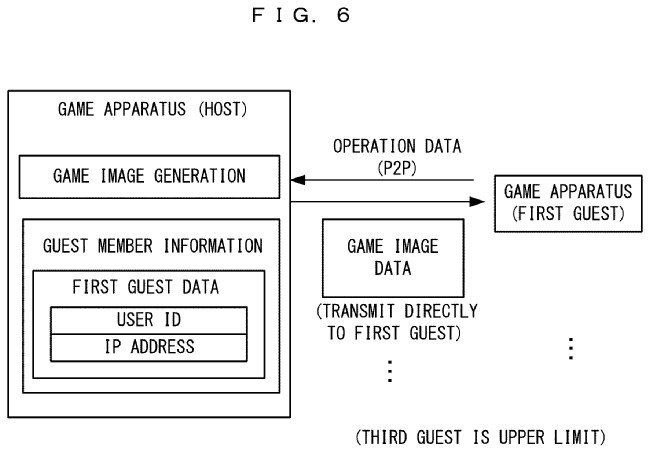
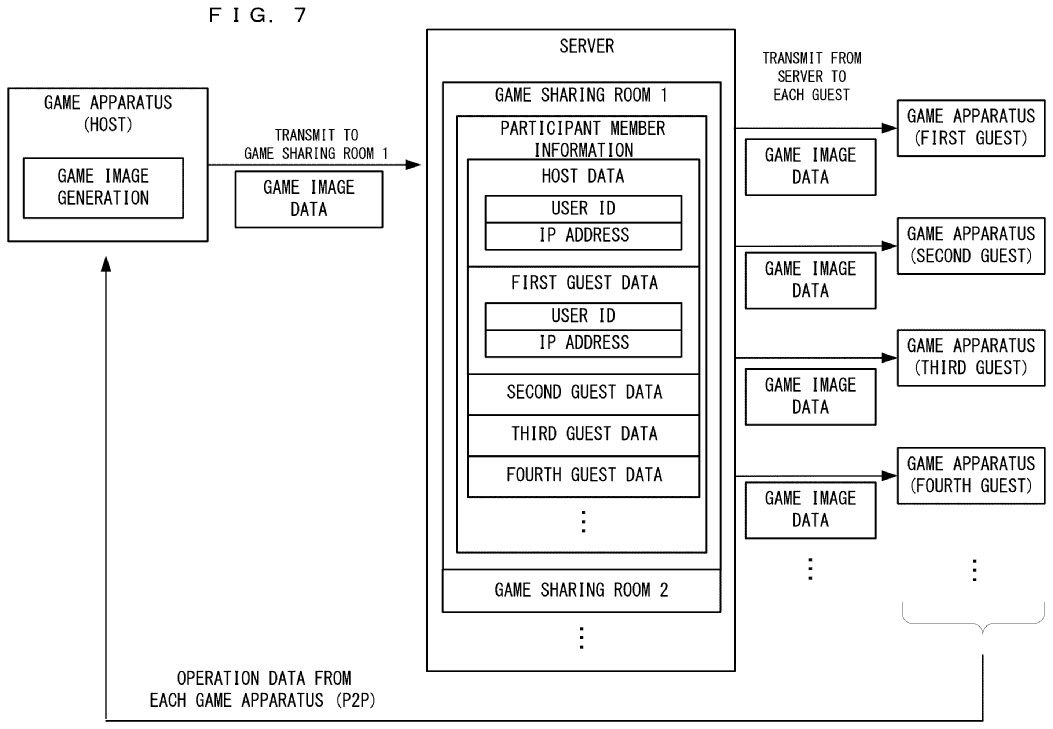
- For online GameShare, if all guests see a common screen image:
- When ≤3 guests, the host sends individual P2P streams (img 2)
- When >3 guests, the host sends one stream to a GameShare server, which mediates it to all guests (img 3)
How GameShare transmits player input
- Each guest’s control input is sent P2P to the host, not server-mediated
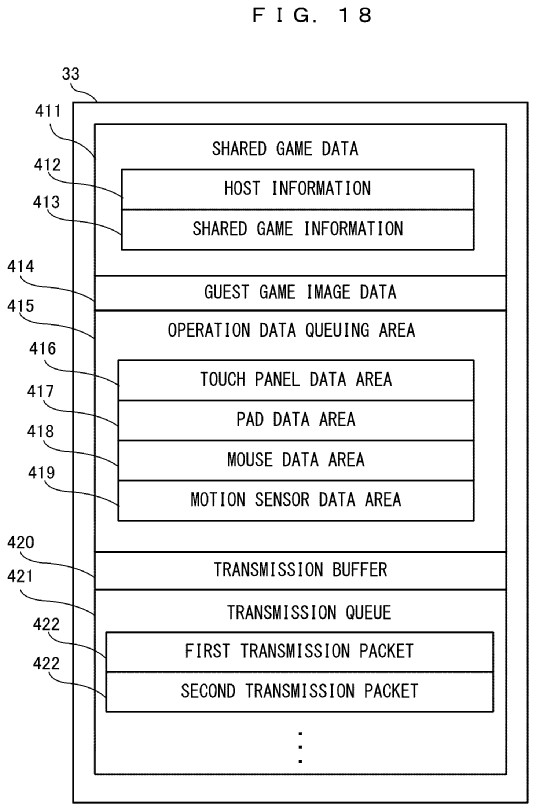
- Gamepad, mouse, and motion inputs are queued every 5 ms; touch input is every 4 ms
- For online GameShare, a guest’s control data is sent to the host immediately (avoid network delay)
- For local GameShare, a guest’s control data queue is sent to the host once per frame time (more efficient)
- E.g., if GameShare frame rate = 60 fps, frame time = 16.7 ms
GameShare resolution and frame rate
- There isn’t a universal GameShare resolution or frame rate; they are set by each game
- If GameShare resolution < host resolution, the host scales down the image before streaming it
- E.g., resize from 1080p to 720p
- The GameShare frame rate can be different from the host frame rate
- E.g., host runs at 60 fps, but streams 30 fps to guests
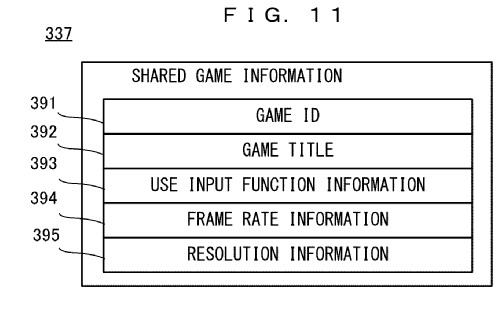
How GameShare synchronizes gameplay
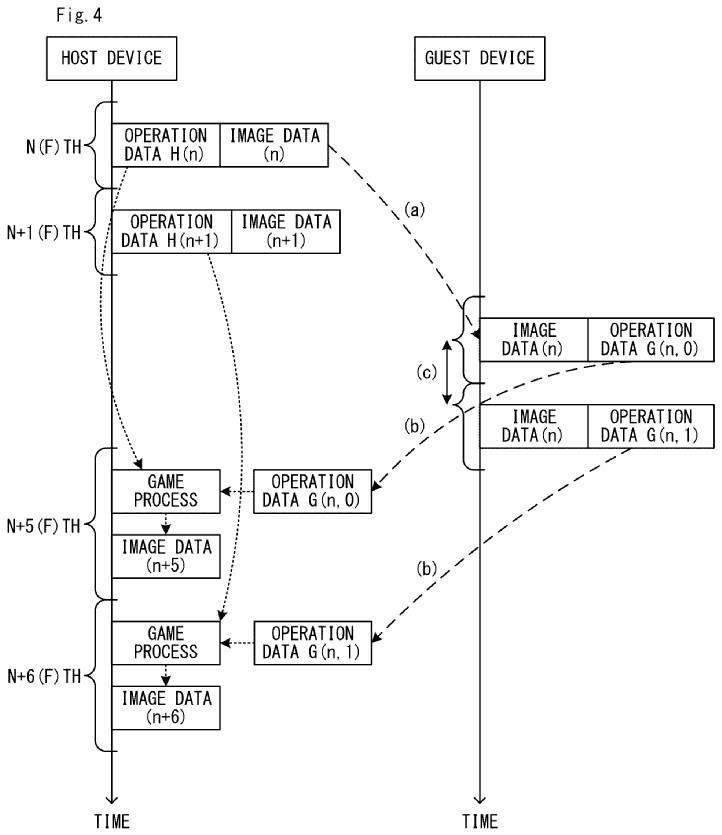
- A “frame number” {n} is attached to each image frame and control data
- This is a reference number not actual frame number, since the host and GameShare may have different frame rates
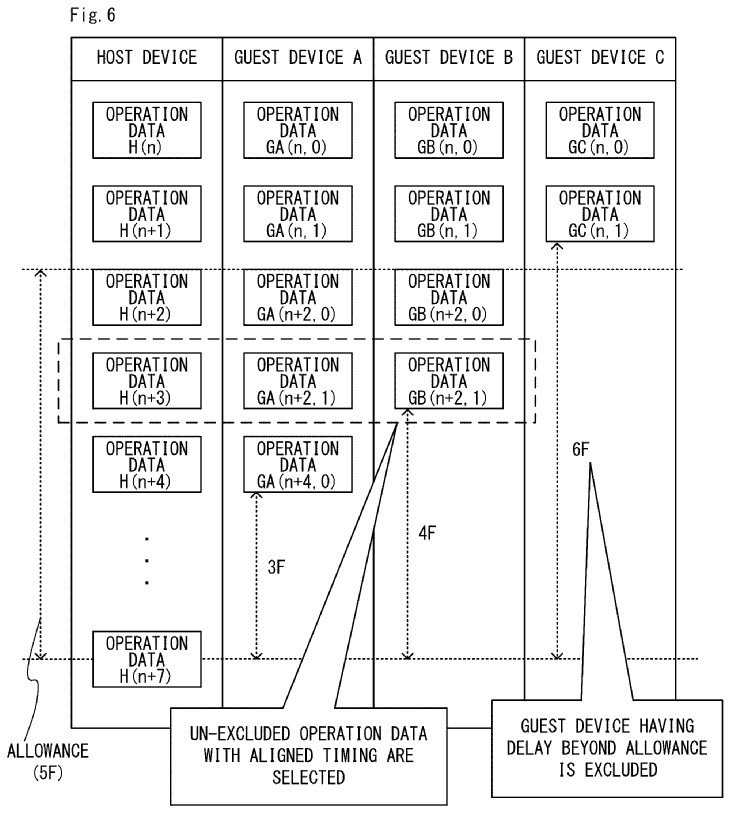
- By matching the {n} of control inputs from all players, the game can synchronize gameplay despite some network delay
- If a guest’s network delay > tolerance threshold, the game goes to the next frame without waiting for that input (last received control data may be used)
How GameShare handles V-sync
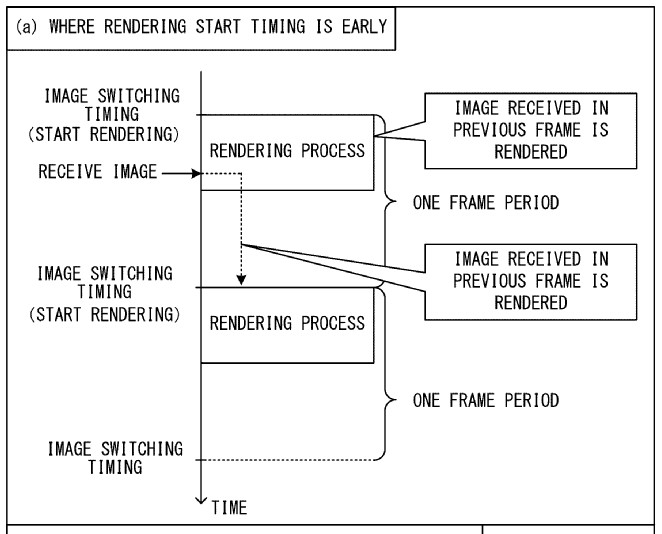
- Conventionally, the GPU begins rendering the next frame when the screen refreshes; GameShare host also works this way
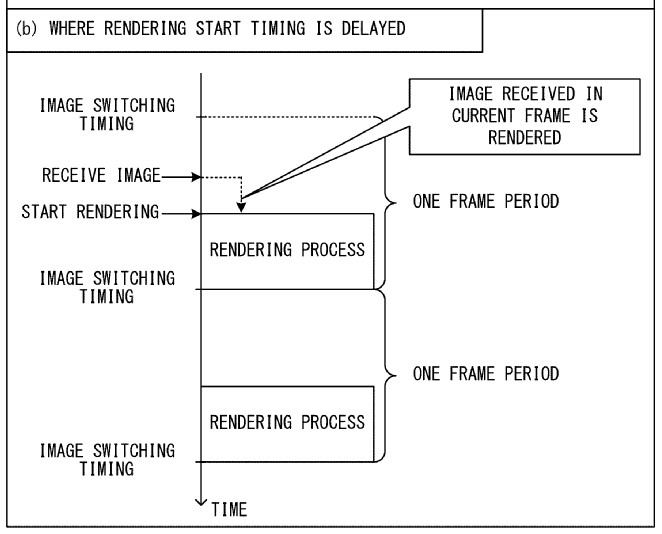
- This can be an issue for GameShare guests, if the streamed image arrives after the rendering already started (img 1 below)
- A GameShare guest’s GPU, however, doesn’t need to render the gameplay but only a simple image received from the host
- So the guest device can wait to render the next frame as late as possible, thus increasing the likelihood of receiving the newest image (img 2)
[Originally posted on 2026-01-04 Pacific Time]
